
Student Behavior Management Beehave
One behavior policy, applied the same way in every classroom.
Beehave is a behavior management platform for schools. It gives a school one way to recognize good conduct, respond to concerns, follow each case through, and account for every step to the child, the family and the regulator.


What a school gets on day one
Every capability below is a screen that exists in the product today.
Logging from the classroom
Which child, what happened, what did you do, one question per step. The classroom response is answered on the spot, the receipt carries an undo, and logging keeps working offline in the classroom, sending when the connection returns. A teacher is done in fifteen seconds.
Every case followed through
Referrals are routed to the role that owns them and cases close with a stated outcome. Back-on-track plans are fed daily by teachers and escalate on a clock: a plan still open past its deadline reaches the vice principal, then the pastoral lead.
Privacy enforced in the database itself
Isolation in four dimensions at the data row: school, section, the teacher's relationship to the child, and the confidentiality tier. The application's own database connection is subject to row security, pastoral notes are encrypted at rest with a tier chosen before a letter is typed, and each of ten roles sees what the school's rules allow it.
A record the school can account for
Every record stays as written. A correction is a signed addition beside the original, and every act is audited, so three years later the school can answer what happened, who decided, and on what basis.
Guardian disclosure and a clean exit
A disclosure pack is compiled, reviewed and handed over, with third parties' data withheld by design. Data-subject requests, retention rules, a verifiable full export and a documented deletion certificate give a family a clear way in and a school a clean way out.
Arabic and English
Every phrase is written in Arabic and English together, and each language has its own face, leading and direction. The six Arabic count forms are carried everywhere a count meets a noun, with Eastern or Western digits chosen per user, and the language switch sits on the screen itself.
Four screens a school runs its behavior on
The teacher's day, a behavior entry, one child's record and the school's reports, as the roles that own each screen see them.
- 01
The teacher's day, in the order it happens
A teacher signs in to the day. Today's lessons sit in order with the class, the subject and the roster size, and each carries one button that opens behavior logging for that class.
Beehave · My day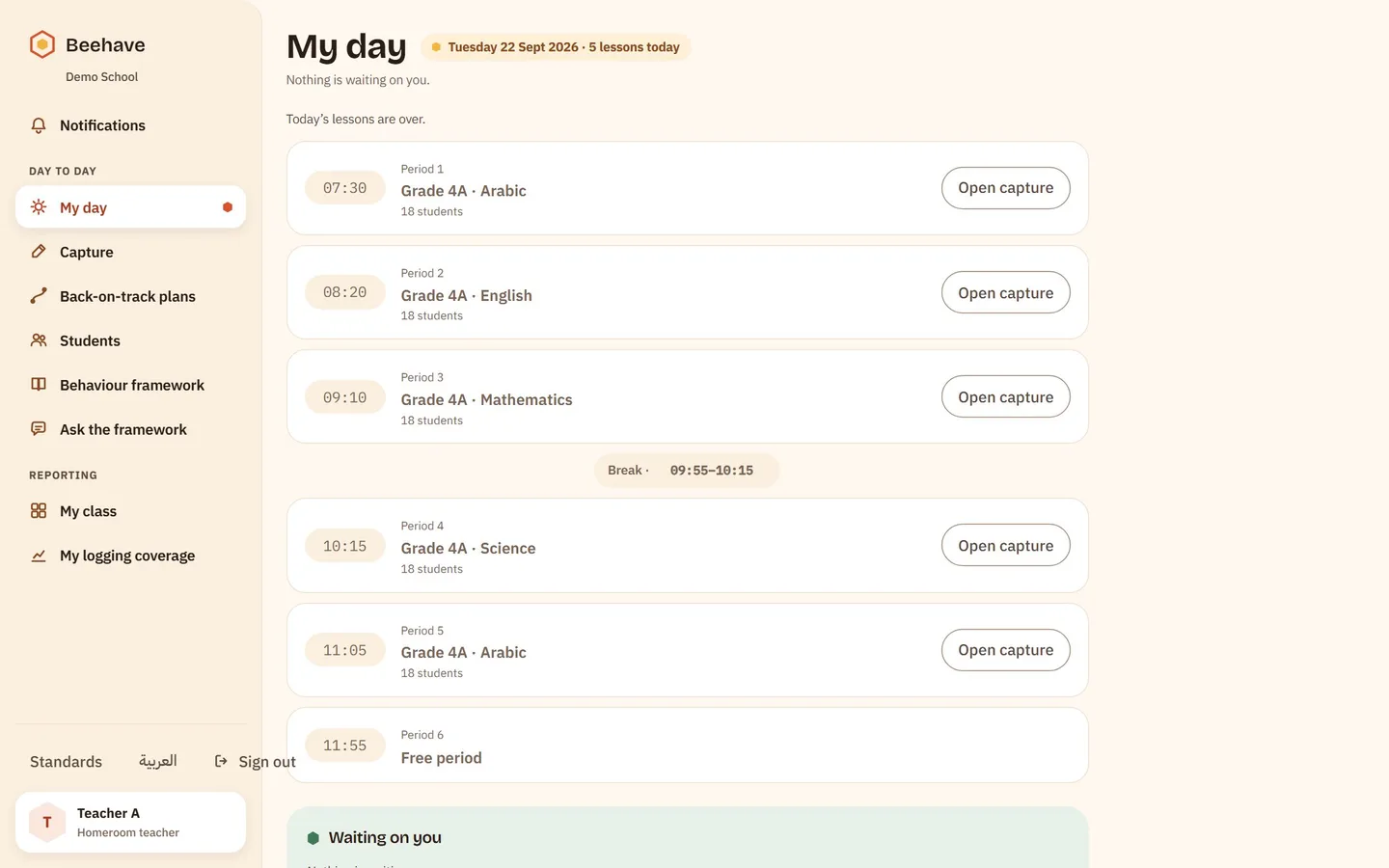
- 02
What happened?
The chosen child stays pinned at the top of the step. One switch separates recognition from concern, and the note is optional. Three steps ask one question each, and the receipt takes the card's place with an undo.
Beehave · Log a record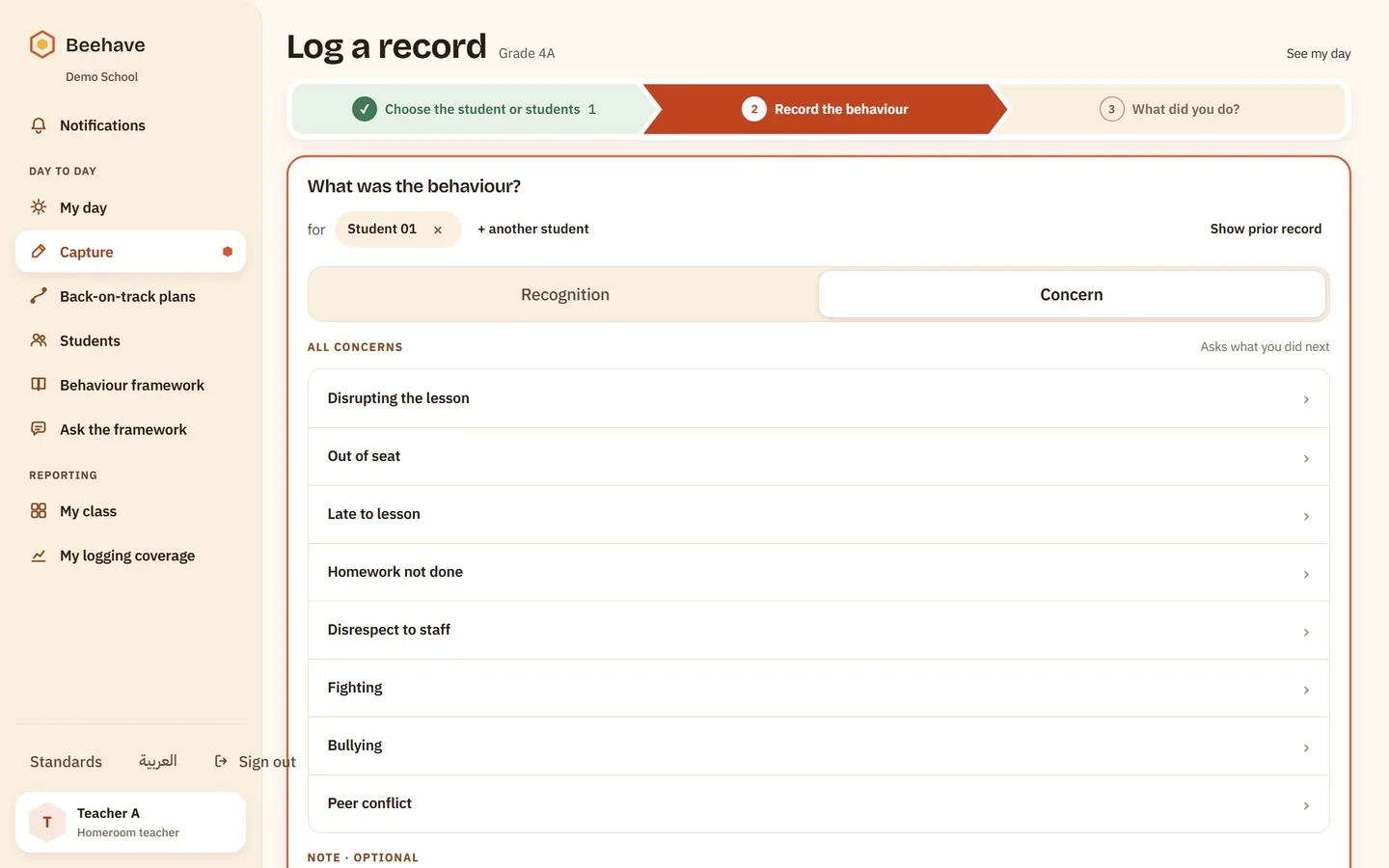
- 03
One child's record
Concerns and recognition are kept apart and counted on their own. The balance is the term's, with the full chronology behind it, and every export is written to the audit log.
Beehave · Student record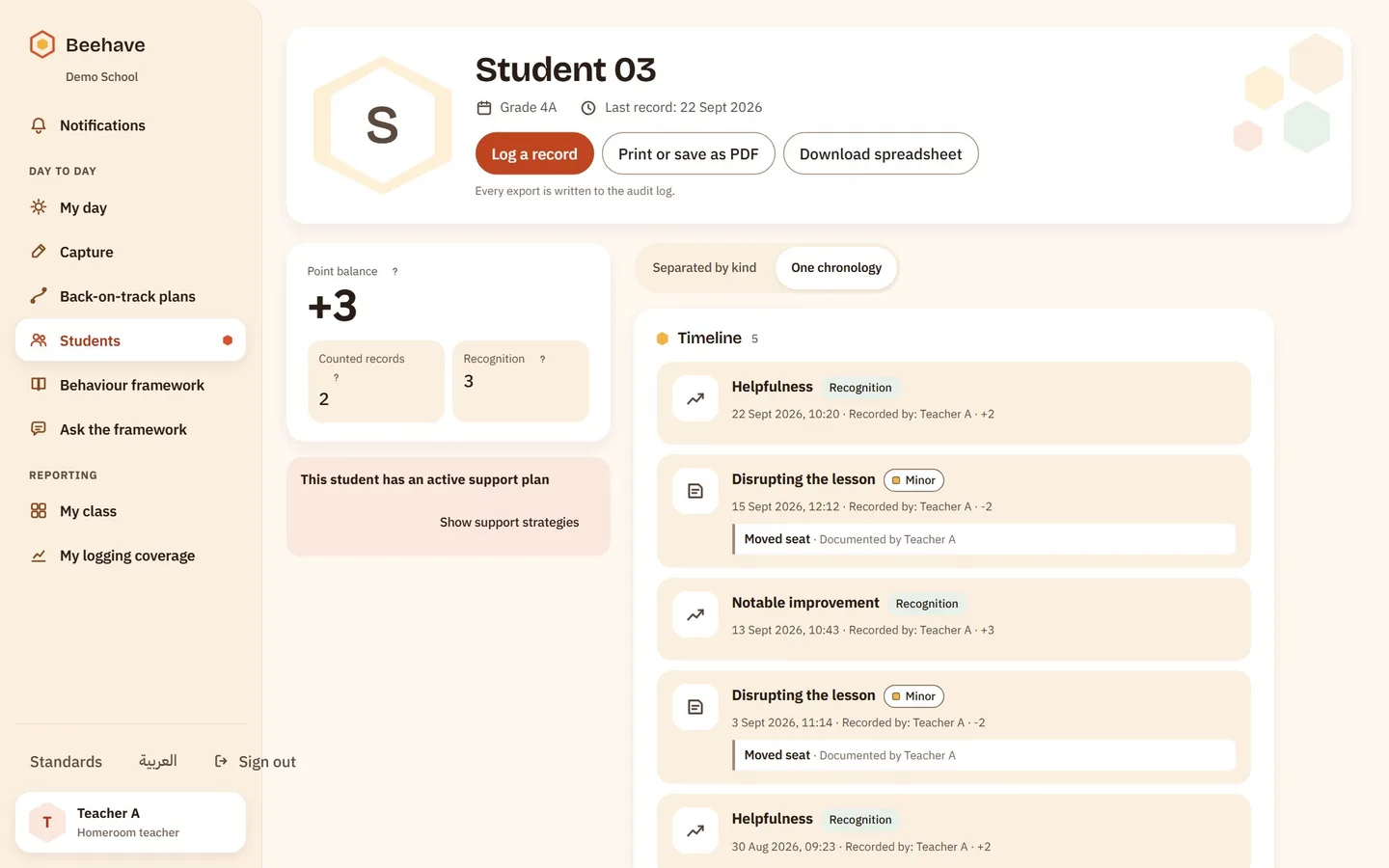
- 04
Reports on nine axes
Three figures lead the report, counted records, positive recognition and what was left out, then nine axes of analysis, from category, grade and section to lesson and weekday. The chosen axis shows a bar per category, with the list of students past the threshold beside it.
Beehave · Reports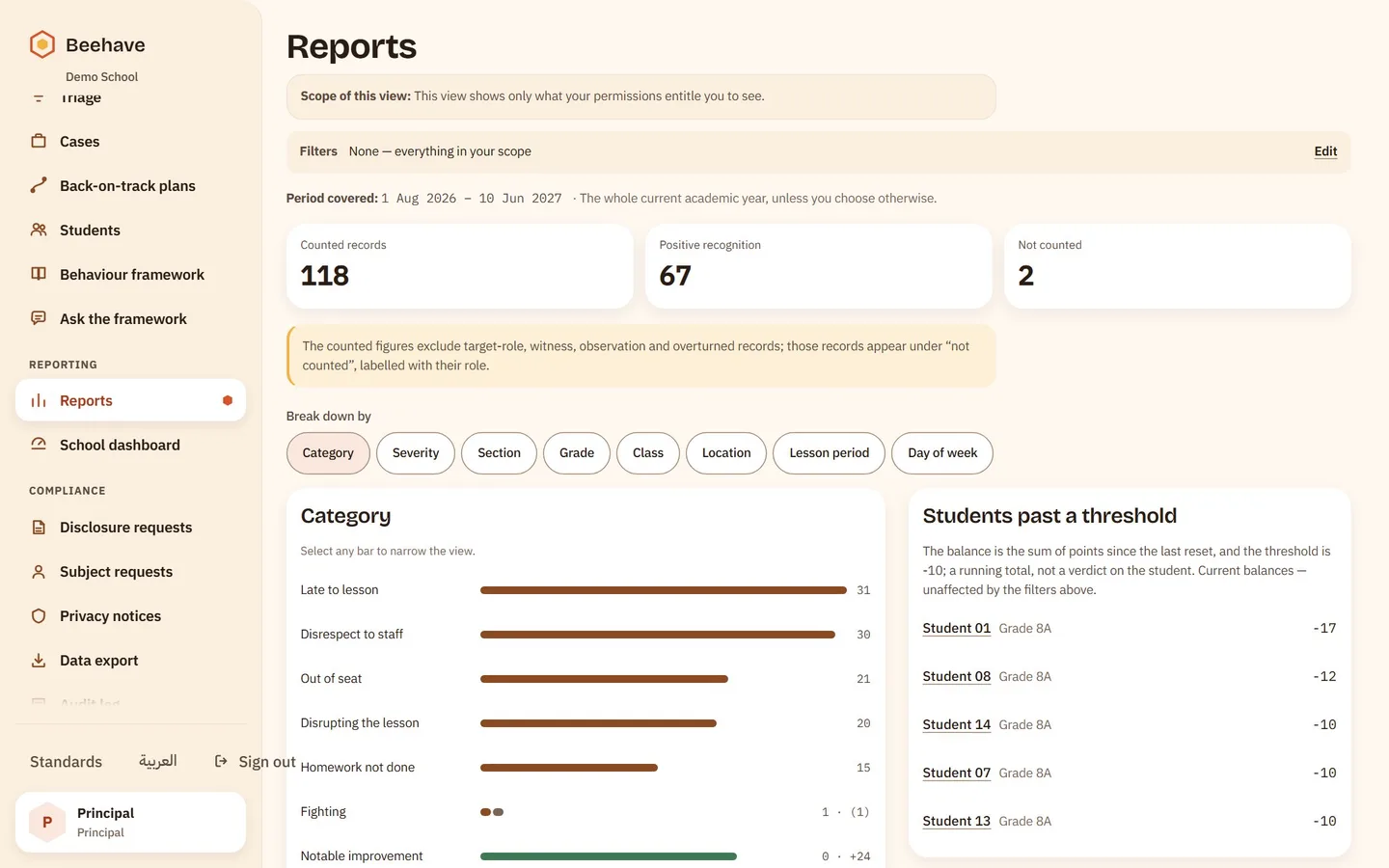

Three people, three different rights
Sight and action are two different rights in this product. Teachers log and respond, the counselor holds the case, and leadership reads everything while every change stays with the role that owns it.
- Faster than paper
The teacher
The current lesson's roster opens by itself. Logging works offline in the classroom and sends when the connection returns, and “My day” lists today's lessons in order with what waits after them.
- Sight of everything
Leadership
The school's dashboard shows what waits for a decision now, the school's figures and the concerns by category, with reports across nine axes behind it. Escalation on a clock: a plan still open past its deadline reaches the vice principal, then the pastoral lead. Logging coverage is read as each teacher's documentation habits.
- The whole case, in its place
The counselor
Cases handled on a path and closed with a stated outcome. Back-on-track plans fed daily by teachers and ended with a written conclusion. Encrypted notes with an access tier chosen before a letter is typed.